If your prospecting campaigns keep selling to people who already buy from you, your cost per new customer is hidden inside a flattering ROAS. Meta’s Customer lifecycle strategy fixes that at the ad set level: tell Meta you want new customers, give it a clean list of who your existing customers are, and it focuses delivery on people who have never bought. This guide walks through the exact setup, step by step, starting with the custom audiences the setting depends on.
- Build your exclusions first. The setting is only as good as the existing-customer audiences you give it: a customer list plus a website audience of purchasers.
- Keep those lists fresh. A manually uploaded list shows as Outdated after 30 days. Syncing from your email platform keeps it current automatically.
- Switch the ad set to Acquire new customers inside a Sales campaign, and exclude existing customers (and, if you want, engaged audiences).
- Expect CPA to rise, and judge on new customer CPA instead. Meta says this directly. Blended campaign CPA will mislead you.
Connect paid media to your whole growth strategy. Evolve Commerce builds interconnected revenue systems for online brands, combining paid media, creative, email and SMS, and data you can trust. Discuss your growth strategy
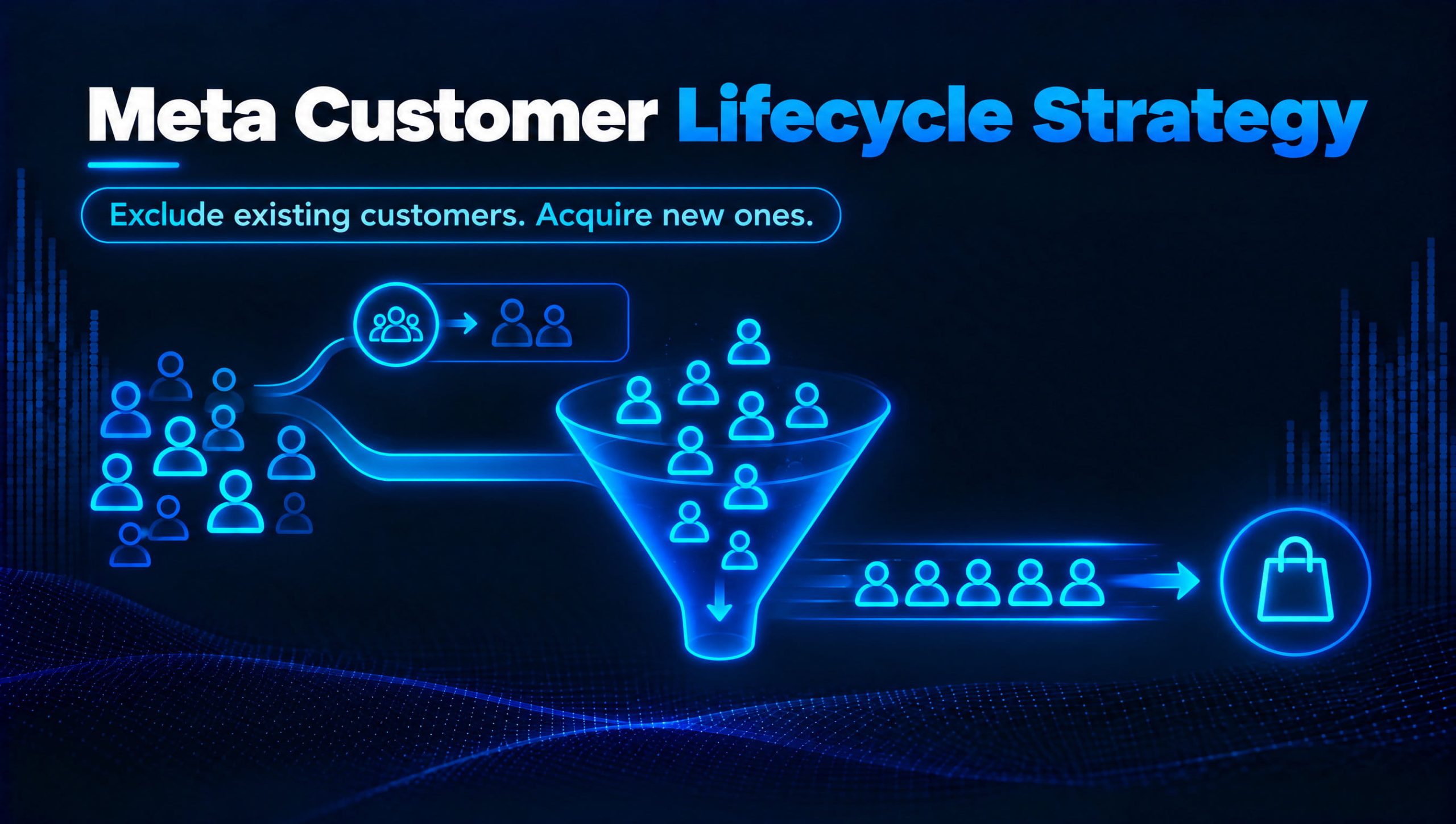
Table of Contents
- What Customer lifecycle strategy does, and why it matters
- Step 1: Build a customer list custom audience
- Step 2: Build a website custom audience of purchasers
- Step 3: Keep your customer lists fresh automatically
- Step 4: Switch on Acquire new customers
- How to measure whether it’s working
- Our perspective: acquisition and retention are one system
- When to bring in a specialist team
- FAQ
- Sources
What Customer lifecycle strategy does, and why it matters
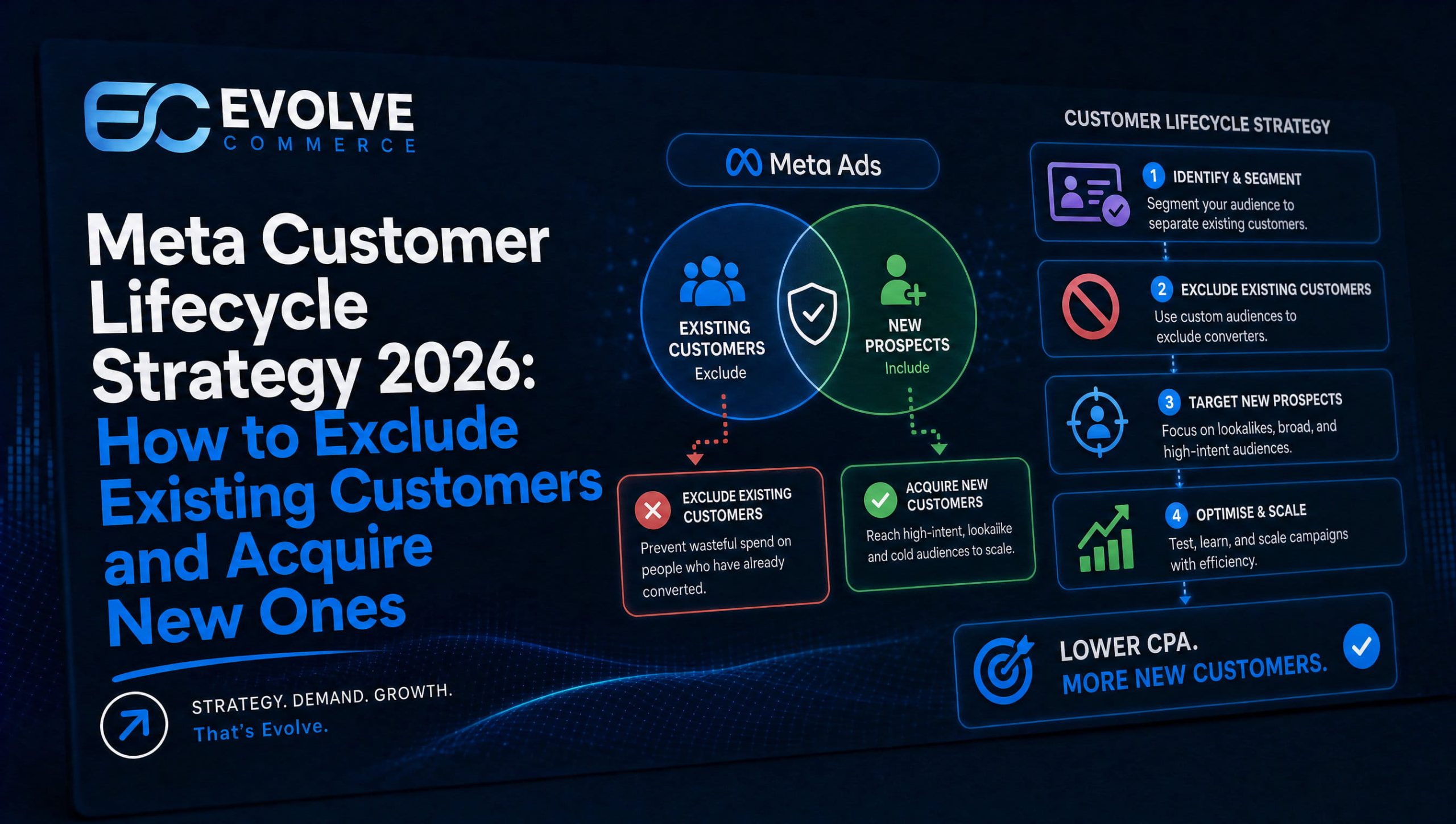
Customer lifecycle strategy is an ad set setting for Sales objective campaigns. Meta describes it as a tool for advertisers who want to acquire new customers, where it applies extra treatments to improve exclusion coverage and maximise reach to people who haven’t bought before.
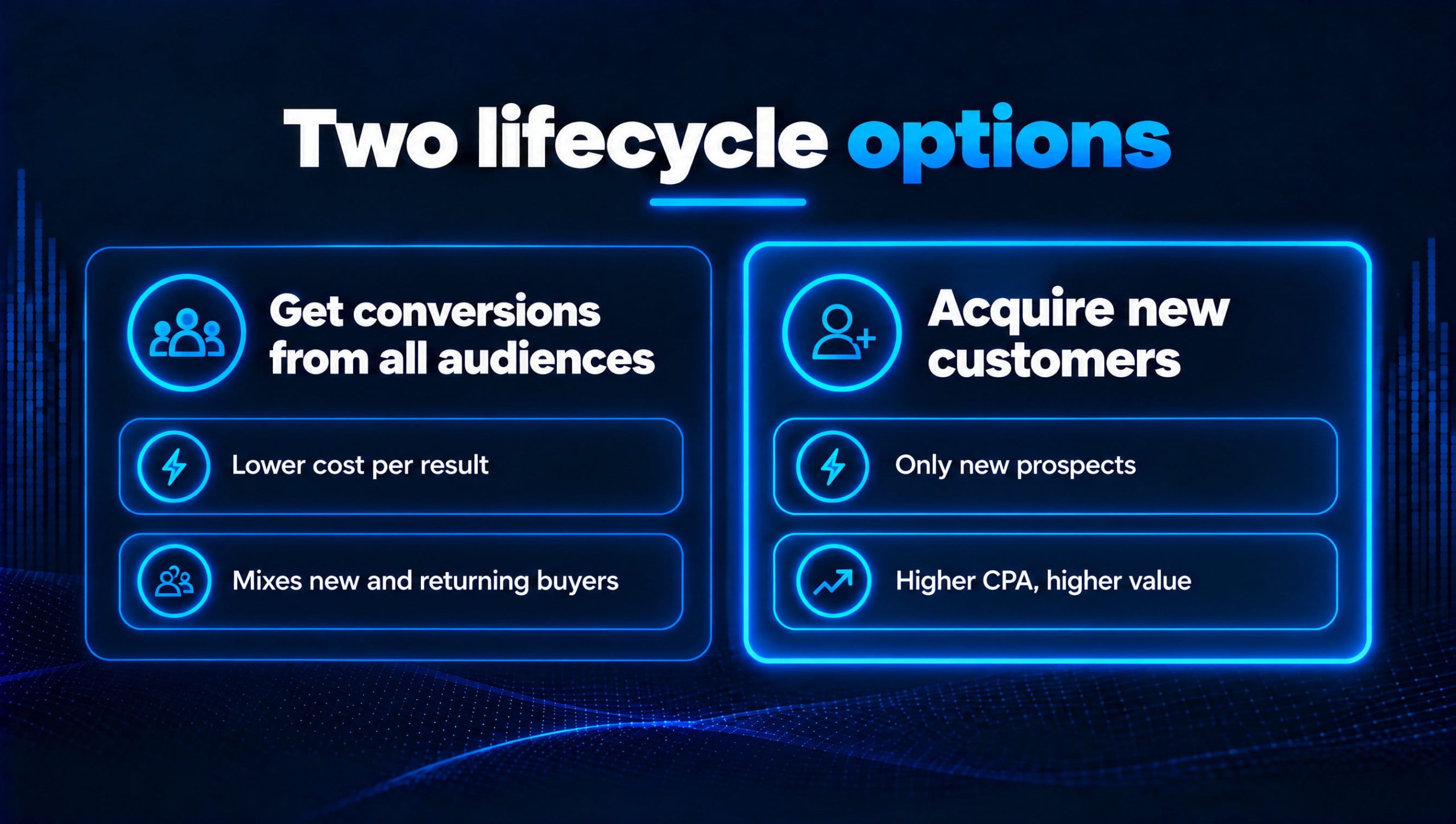
You get two options at the ad set level:
- Get conversions from all audiences. The default. Meta chases the lowest cost per result, whether that sale comes from a new or a returning buyer.
- Acquire new customers. Meta narrows delivery to new prospects. Use it when a first purchase is worth more to your business than a repeat one.
Why this matters: on the default setting, the algorithm naturally drifts towards your warmest people, because they convert cheapest. Your prospecting campaign looks efficient, but a share of those “wins” are customers who would have bought anyway, often straight after an email landed. You end up paying acquisition prices to re-acquire your own list.
The feature started as a limited test earlier in 2026 and has since been opened up to all advertisers. If you can’t see it yet, check a manual Sales campaign at ad set level; availability can still vary by account.
The catch: Meta can only exclude people it knows are customers. That means the setup starts with your audiences, not the toggle.
Step 1: Build a customer list custom audience
A customer list custom audience matches your own customer records (emails, phone numbers and so on) to people across Meta’s platforms. It’s the most complete picture of who has bought from you, because it isn’t limited by cookies, browsers or a tracking window.
Before you start, check two things:
- Permissions. You need to own the ad account or have admin or advertiser access on an ad account connected to a business portfolio. New or newly linked accounts can wait a few weeks before customer list audiences become available.
- What’s in the file. Meta won’t accept lists built on prohibited information, such as health or financial data or other sensitive categories. For an ecommerce brand, a plain export of buyers is fine.
Prepare the file. Export customers from Shopify, WooCommerce or your CRM as a CSV. Use separate columns with clear headers for email, phone, first name, last name, city, postcode and country. Phone numbers need the country code, so a UK number becomes 447700900123, not 07700900123. More identifiers per row means a better match.
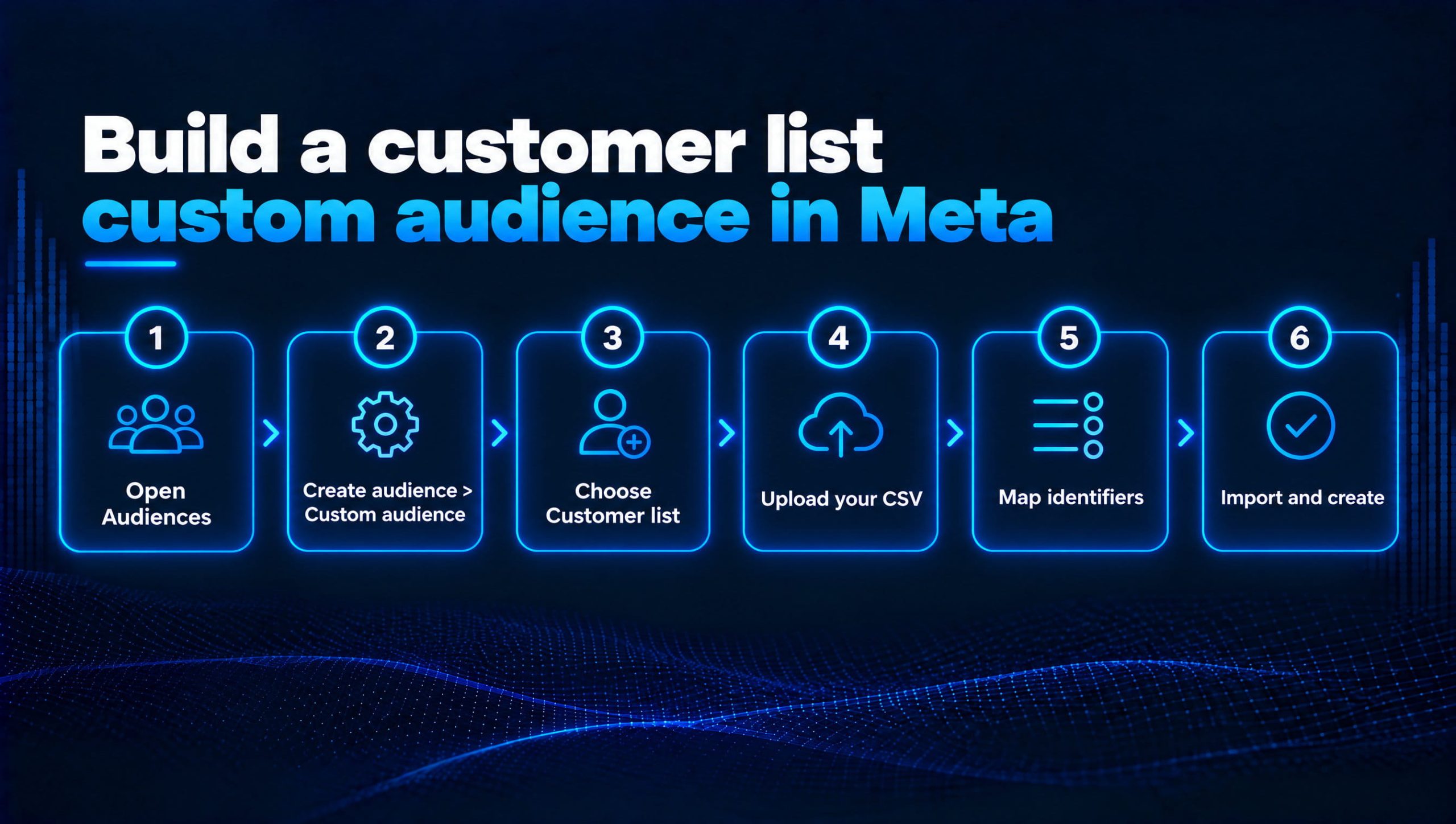
Create the audience:
- In Ads Manager, open Audiences.
- Select Create audience, then Custom audience.
- Choose Customer list, then Next.
- Prepare list: follow Meta’s formatting prompts, then select Next.
- Add list: choose Inclusions or exclusions (recommended, so you can also use it for retention ads and lookalikes) or Only exclusions. Then upload your file or paste comma-separated values, say whether it includes a customer value column, and give it a clear name, label and description. Accept the custom audience terms and select Next.
- Map identifiers: a tick means a column is mapped and ready to be hashed. An exclamation mark means a column was skipped or needs fixing. Fix those before you continue, because every corrected column lifts your match rate.
- Select Import and create. The audience shows Populating, then Ready.
A note on “Only exclusions”. It’s useful for people who must never see your ads, such as anyone who opted out of marketing. But the choice is permanent, the audience can’t be used for targeting, and it can’t seed a lookalike. For a general customer list, keep it flexible.
Check your match score. In Audiences, open Columns and add Match score. It scores out of ten how well your last upload matched Meta profiles. A low score usually means missing phone numbers or poorly formatted columns.
Name it so your team can find it. We use a simple convention: CL | All customers | Exclusion | 2026-11. Audience labels help too, especially once you have dozens of audiences.
UK data protection. Meta hashes the list before matching, but hashing doesn’t take you outside UK GDPR. Uploading customer data for advertising is still processing personal data, so make sure your privacy notice covers it and your lawful basis is documented. If you’re unsure, check with your data protection lead.
Step 2: Build a website custom audience of purchasers
Your customer list covers everyone in your database. A website custom audience built on the Purchase event catches buyers your last export missed, such as someone who ordered yesterday. Meta’s own guidance suggests using both together.
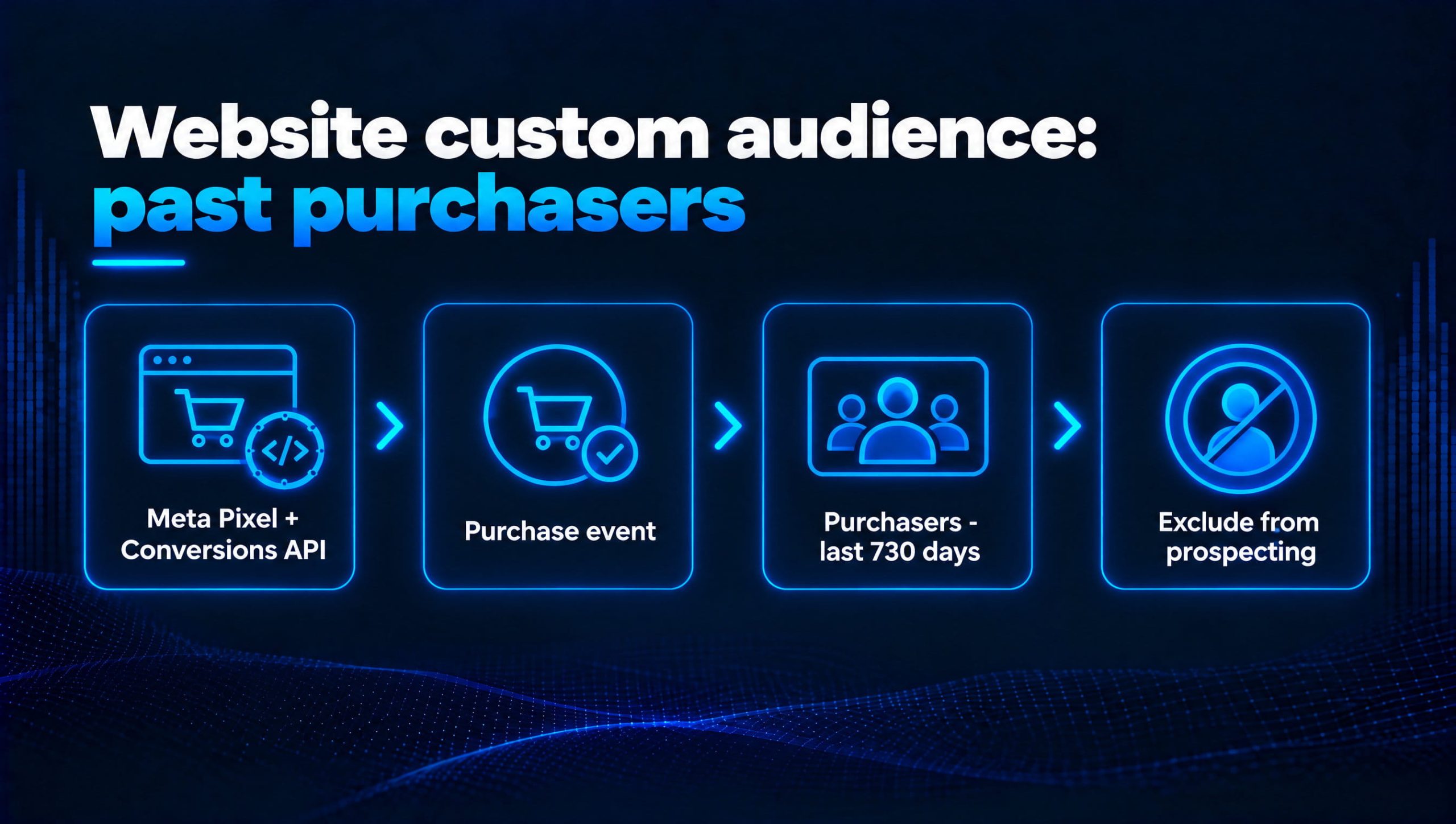
- In Audiences, select Create audience, then Custom audience.
- Choose Website as the source and select your Meta Pixel.
- Under events, pick Purchase.
- Set the retention window. Meta extended the maximum for Purchase audiences from 180 to 730 days in May 2026, so you can now hold up to two years of buyers. Other events, such as AddToCart, still cap at 180 days.
- Name it clearly, for example
WCA | Purchasers | 730d | Exclusion, and select Create audience.
How long should the window be? Match it to your buying cycle, not the maximum. A furniture brand whose customers buy once every few years may want the full 730 days. A coffee subscription might only treat buyers from the last 180 days as “existing”, and happily welcome back lapsed customers through acquisition campaigns.
Your tracking decides how good this audience is. A website audience only contains purchases Meta actually received. If your Pixel misses orders (ad blockers, iOS privacy settings, consent banners), some customers never land in the audience and get targeted as “new” again. Running the Conversions API alongside the Pixel, ideally through server-side tracking, closes most of that gap. Check your purchase event coverage in Events Manager before you rely on this audience.
Step 3: Keep your customer lists fresh automatically
A one-off upload starts going stale the day after you make it. Meta flags a customer list as Outdated once it hasn’t been updated for more than 30 days, which can affect delivery. Every new customer since your last upload is invisible to your exclusions.
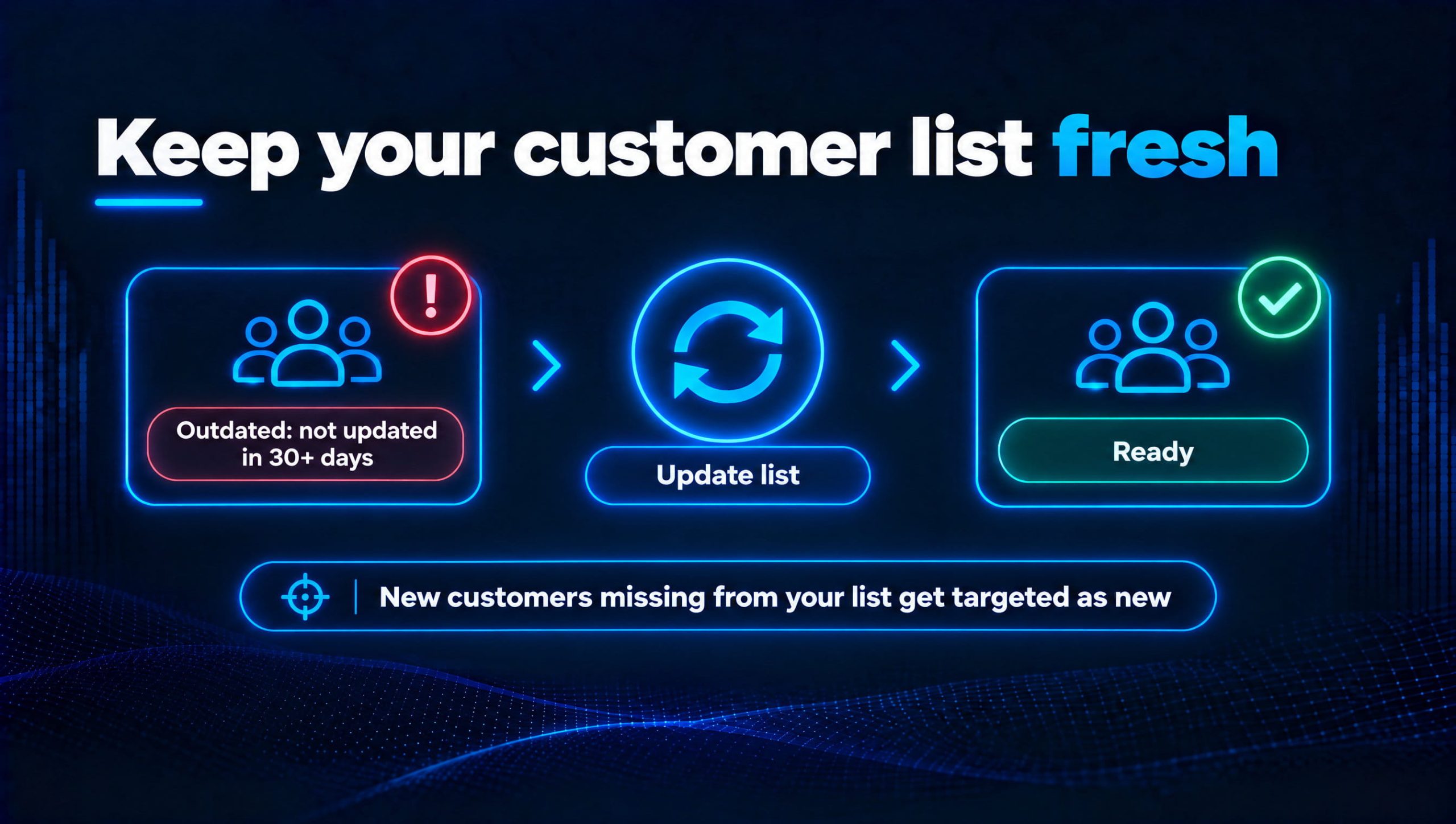
The fix is to sync the list instead of uploading it. If you use Klaviyo:
- In Klaviyo, create a segment of buyers, for example Placed Order at least once over all time.
- Go to Integrations, open Meta Ads and connect your ad account. You need admin access to the ad account and must have accepted Meta’s custom audience terms.
- On the Custom audiences tab, select Add connection, then pick your buyers segment and the Meta custom audience it should feed.
- Save. Klaviyo syncs changes on an ongoing basis, though Meta can take 24 to 48 hours to process updates.
Two things to know. Klaviyo sends email addresses, and only those linked to a Meta account will match, so the Meta audience will be smaller than your segment. And the segment needs at least 100 profiles to sync.
Not on Klaviyo? Most email platforms and many Shopify apps offer a similar sync. If none is available, put a monthly re-upload in the calendar so the list never shows Outdated.
While you’re in Klaviyo, build these too. Separate segments for VIPs, lapsed customers and active subscribers give you far more control later: exclude all of them from acquisition, then run retention campaigns to each with their own message.
Step 4: Switch on Acquire new customers
With your audiences ready, the setting itself takes a couple of minutes.
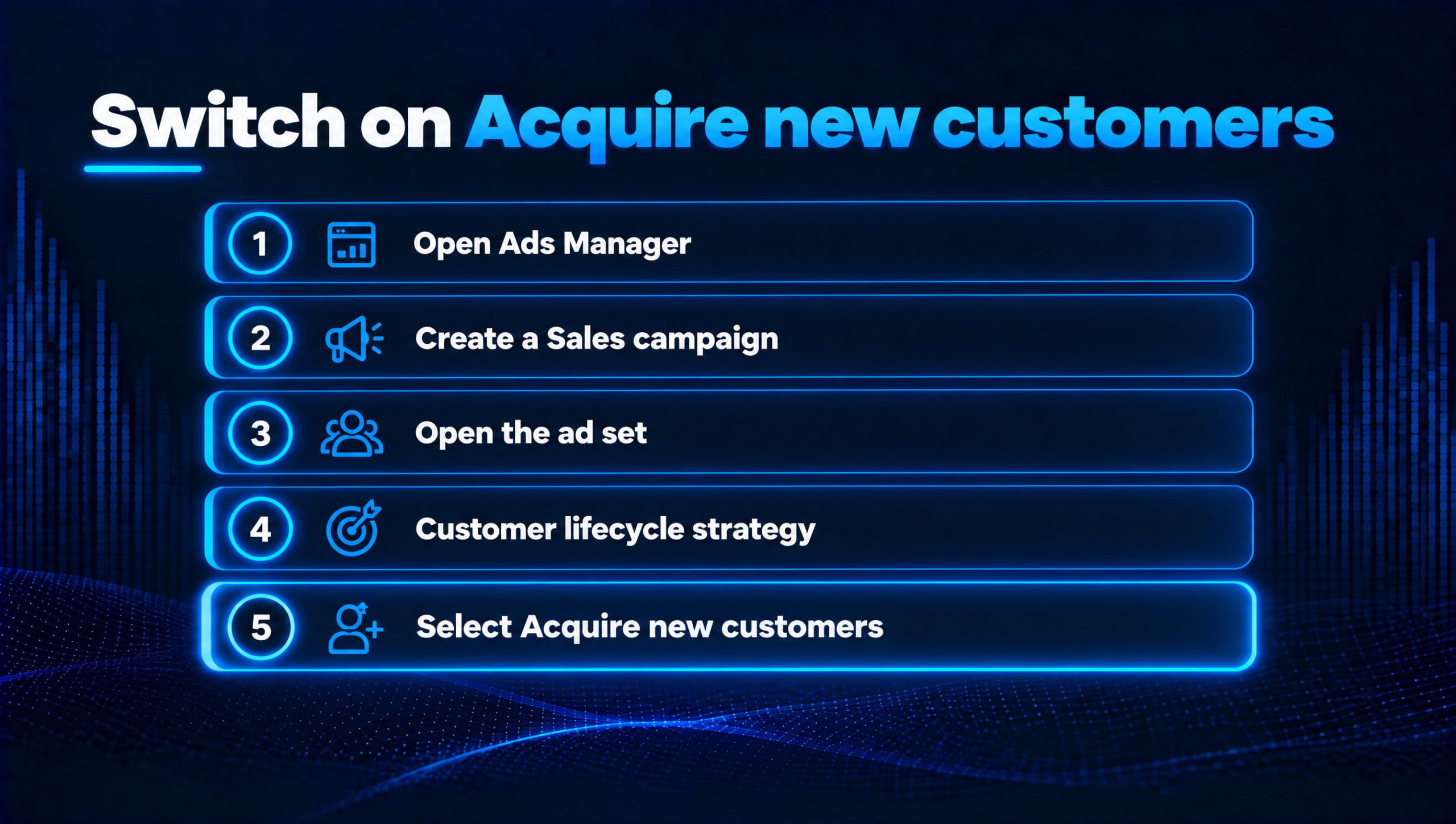
- Open Ads Manager.
- Create a campaign using the Sales objective.
- Open the ad set.
- Find Customer lifecycle strategy.
- Select Acquire new customers.
- Under Exclude existing customers, choose the audiences from Steps 1 to 3: your customer list and your website purchasers audience. Use Create new if you still need to build one.
- Optionally, tick Also exclude engaged audiences, such as recent site visitors or Instagram engagers, if you want this ad set to reach genuinely cold people only.
- Publish when ready.
Should you also exclude engaged audiences? It depends on the job of the campaign. If your retargeting runs in a separate campaign, excluding engagers keeps the two clean. If this is your only prospecting campaign and you don’t retarget elsewhere, leave engagers in, because they’re often your cheapest first-time buyers.
Set account-wide exclusions too. In Advertising settings you can define existing-customer audiences for the whole ad account. Doing this once means every new acquisition campaign starts from the same definition, rather than relying on whoever built the ad set remembering.
Test before you trust it. Switch a duplicate ad set rather than your best performer. Before you spend, open the exclusions and check they contain the audiences you expect.
How to measure whether it’s working
Meta is upfront that CPA may rise once delivery focuses on new customers, and recommends judging results on new customer CPA from your own measurement tools rather than overall campaign CPA. That’s the single most important point in this guide. If you switch the setting and judge it on in-platform CPA alone, you’ll probably switch it back.
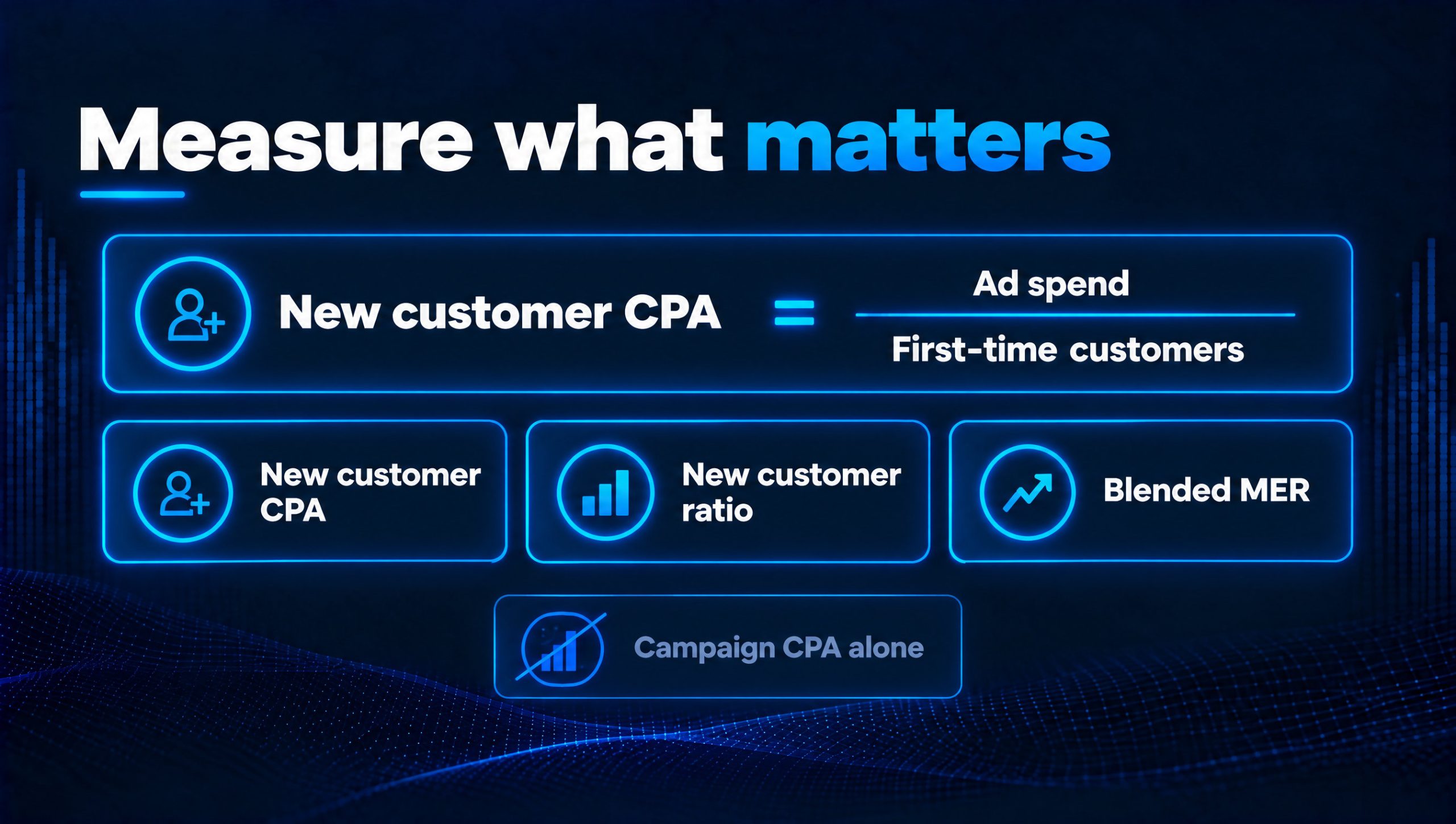
The metrics we use:
- New customer CPA: total ad spend divided by first-time customers, taken from Shopify, WooCommerce or your backend, not from Meta.
- New customer ratio: the share of orders that are first purchases. It should rise once the setting is live.
- Blended MER: total revenue divided by total marketing spend. This is the reality check that ad platform attribution can’t fudge.
- Repeat rate of new cohorts: are the customers you’re now acquiring coming back? That tells you whether they’re worth the higher entry price.
Watch your other campaigns too. Once prospecting stops reaching existing customers, any campaign without exclusions becomes the only place Meta can find them, so its ROAS will jump. That isn’t a win, it’s spend moving. Read the account as a whole.
Give it time. Run the test for at least two to three weeks and compare new customer CPA against the same period on your previous setup, not against a single good week.
Our perspective: acquisition and retention are one system
Excluding existing customers isn’t about ignoring them. It’s about giving each audience the right job. Paid prospecting finds new buyers. Email, SMS and dedicated retention campaigns bring existing buyers back, usually at a fraction of the cost. When one campaign tries to do both, the cheap repeat sales hide how much you’re really paying to grow.
That’s why we set up the audiences first and the toggle last. The same Klaviyo segments that feed your exclusions also power your retention: VIPs get early access, lapsed buyers get a winback, new customers get a proper post-purchase journey. One set of definitions, used everywhere.
It also changes the conversation with your finance team. “ROAS went down” sounds bad. “We now acquire first-time customers at £32 each, and 28% of them buy again within 90 days” is a growth plan.
Timing matters, too. Black Friday and Christmas bring your highest traffic of the year and the most new customers you’ll see all year. Fix your exclusions now, and every pound of peak prospecting goes on people who haven’t bought from you yet.
— Evolve Commerce
When to bring in a specialist team
If your prospecting looks strong but new customer numbers aren’t moving, the problem is rarely one setting. It’s usually a mix: stale customer lists, tracking that misses purchases, campaigns overlapping each other, and reporting that can’t separate new revenue from repeat revenue.
As an official Meta Partner, Evolve Commerce builds and manages paid media for ecommerce brands end to end:
- Campaign structure and audience strategy. We set up acquisition and retention as separate, clearly measured jobs, with exclusions that stay current.
- Performance creative. Our in-house team produces the volume of ads that new-customer campaigns need, built for cold audiences rather than people who already know you.
- Tracking you can trust. AdWize, our proprietary analytics and server-side tracking platform, captures the purchases browser tracking misses, so your purchaser audiences are complete and your new customer CPA is real.
- AI-powered insight. AdWize’s AI agents surface where spend is leaking, such as campaigns re-buying existing customers or ad sets where new customer CPA is drifting.
Because paid media is managed alongside your email and SMS, creative and SEO, the customers you acquire flow straight into lifecycle journeys that bring them back. Nothing is built in isolation.
AdWize plans start at £49 per month for Starter, £149 per month for Accelerator and £249 per month for Scale. You can compare them on the AdWize page.
Not sure where to start? Our 360° Marketing Audit shows where revenue is leaking across your paid, email and on-site channels, and which fixes will pay back fastest.
Book your 360° Marketing Audit →
FAQs
What is Customer lifecycle strategy in Meta Ads?
An ad set setting in Sales objective campaigns. It lets you choose between getting conversions from all audiences, or acquiring new customers only, in which case Meta focuses delivery on people who haven’t bought from you.
Where do I find Customer lifecycle strategy?
In Ads Manager, create or open a campaign with the Sales objective, then open the ad set. The setting sits in the ad set options. If it isn’t there, your account may not have it yet.
Do I still need to exclude existing customers myself?
Yes. Meta can only exclude people it knows about, so you need to provide existing-customer audiences, such as a customer list and a website audience built on the Purchase event.
Why did my CPA go up after switching to Acquire new customers?
Because Meta is no longer counting cheaper repeat purchases from existing customers. Meta expects this. Judge the campaign on new customer CPA from your store data instead.
How often should I update my customer list?
Ideally continuously, through a sync from your email platform. Meta marks a list as Outdated if it hasn’t been updated in over 30 days.
Is uploading a customer list to Meta GDPR compliant?
It can be. Meta hashes the data before matching, but uploading customer data is still processing personal data under UK GDPR. Cover it in your privacy notice and document your lawful basis. Take advice if you’re unsure.
Can I use the same customer list for lookalike audiences?
Yes, provided you chose “Inclusions or exclusions” when you created it. An “Only exclusions” audience can’t be used for lookalikes or targeting.
Sources
- Create a campaign to acquire new customers, Meta Business Help Centre
- Create a customer list custom audience, Meta Business Help Centre
- Integrate Meta Ads with Klaviyo, Klaviyo Help Center
- Meta extends purchase audience retention to 730 days, Common Thread Collective
- Meta Customer Lifecycle Strategy: why you might pay extra for old buyers, TrueROAS
- Meta’s new-customer setting is now open to all advertisers, MarketplaceMax