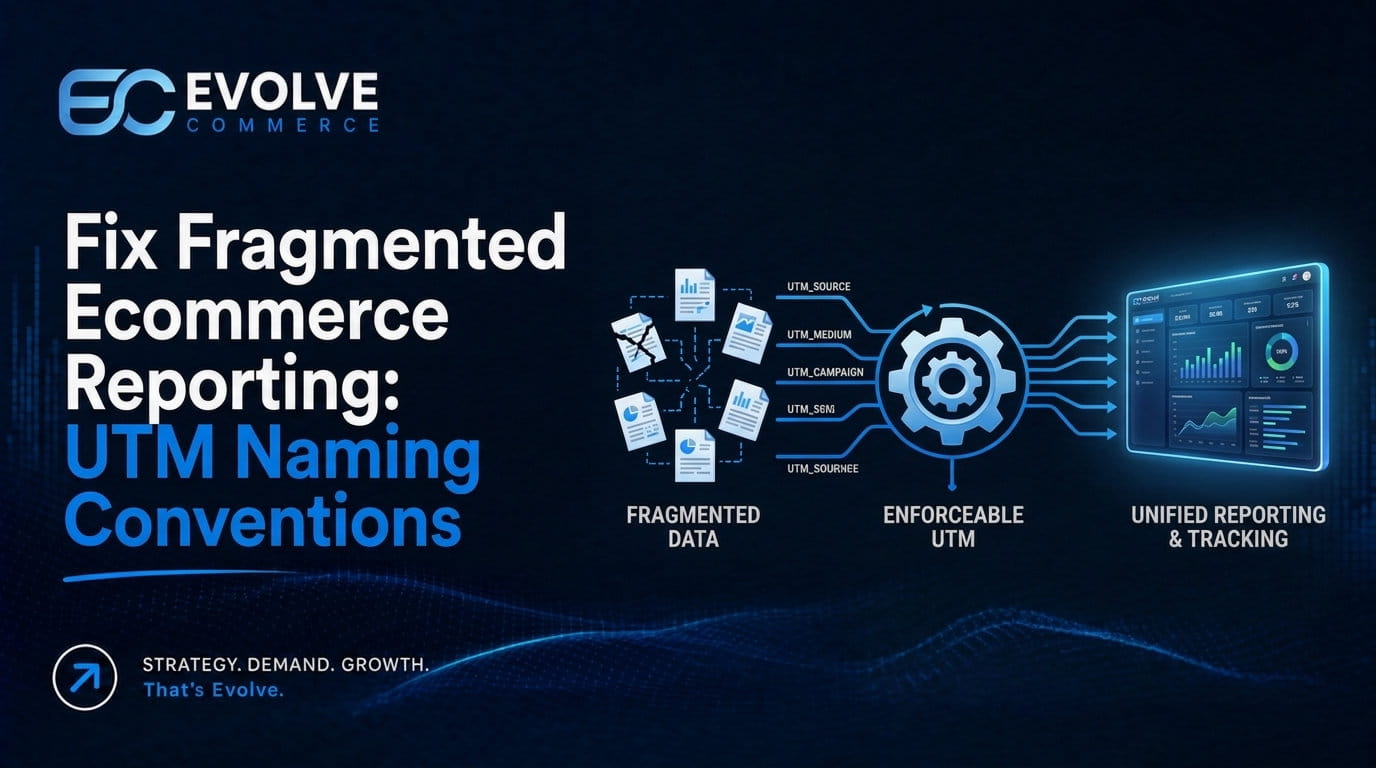
UTM naming conventions might seem like a small detail, but they can make a big difference to how clearly you understand your marketing performance. When different teams use different names for the same channel or campaign, your reports become harder to read, and it becomes more difficult to see which activities are actually driving sales. A consistent approach keeps your data organised and makes campaign performance easier to compare across channels. The good news is that a few simple rules can prevent most of these problems.
- Lock casing to lowercase and use a single separator consistently to prevent fragmented campaign reporting across teams.
- Adopt a stable utm_id parameter to maintain accurate attribution despite changes in campaign names over time.
- Prioritize locking the utm_medium vocabulary because it directly influences GA4’s automated channel classification and reporting accuracy.
- Validate all tags against required parameters before launch, especially utm_source, utm_medium, utm_campaign, utm_id, and utm_source_platform, to avoid partial or inconsistent data.
- Integrate naming conventions into campaign planning and platform templates to ensure discipline and reduce manual errors in large-scale, multi-platform campaigns.
Table of Contents
- UTM basics: what each parameter does and how GA4 uses them
- UTM naming models: cryptic, positional and key-value
- Governance and naming rules: checklist to stop fragmentation
- How UTMs interact with platform tagging and GA4 channel rules
- Implementation, builders and QA: practical steps to prevent errors at scale
- Common mistakes and remedial fixes
- Practical templates and copyable examples
- How Evolve Commerce applies UTM governance in client work
- Why naming conventions are a measurement decision, not a formatting one
- Turning UTM governance into a working measurement system
- Sources
- FAQ
UTM basics: what each parameter does and how GA4 uses them
Every UTM parameter answers a different question about where traffic came from. utm_source identifies the origin, such as newsletter or google. utm_medium names the channel type, such as email or cpc. utm_campaign groups activity under a single initiative, like spring_sale. utm_term and utm_content are optional: term typically captures paid search keywords, and content distinguishes between variations, such as two ad creatives pointing to the same page.
Beyond these five, Google’s URL builder documentation names four additional parameters worth adopting where the platform recognises them:
- utm_id: a stable campaign identifier that survives renaming and protects longitudinal reporting.
- utm_source_platform: identifies the platform that generated the click, useful when a source could arrive through several tools.
- utm_creative_format: describes the ad format, such as video or carousel.
- utm_marketing_tactic: labels the strategic intent, such as retargeting or prospecting.
These parameters do not exist for decoration. GA4 uses manually tagged values to populate both session-level and first-user traffic-source dimensions, and the two tell different stories: session dimensions reflect the most recent visit, while first-user dimensions reflect how that user was originally acquired. An analyst pulling a dashboard without checking which dimension is in play risks attributing a returning customer’s purchase to the wrong campaign entirely. Deciding upfront which dimension a report uses, and documenting that choice, matters as much as the tagging itself.
UTM naming models: cryptic, positional and key-value
Choosing how to structure campaign names is a decision about who reads the data and how much tooling supports the process. Three models dominate practice, each with a distinct trade-off.
- Cryptic IDs compress a campaign into a short code, such as sp0426a, mapped to a lookup table elsewhere. They keep URLs compact and reduce the chance of typos in the URL itself, but they are unreadable without that lookup table, which becomes a single point of failure if it goes out of date or is not shared across teams.
- Positional notation packs multiple attributes into one parameter using fixed slots, for example campaign-uk-spring-video, where each dash-separated segment has a known meaning. This works well for smaller teams with a stable set of campaign types, since anyone can decode the string by eye. It breaks down once a new attribute needs adding, because every historical name then falls out of step with the new format.
- Key-value notation stores each attribute explicitly, such as region:uk_season:spring_format:video, inside a single parameter or split across several. It is the most flexible for analytics, since each attribute can be parsed independently in a spreadsheet or a business intelligence tool, but it produces longer, more verbose campaign names.
The decision usually comes down to scale and tooling. Small teams running a handful of campaigns a month can manage positional notation by memory. Larger teams running hundreds of campaigns across paid social, display and affiliate channels need either a maintained lookup table for cryptic IDs or key-value pairs that a script can parse automatically. A hybrid is common in practice: a stable utm_id for the machine-readable join, paired with a human-readable utm_campaign built on positional or key-value logic for anyone scanning a report by eye.
Governance and naming rules: checklist to stop fragmentation
Fragmentation happens quietly. One campaign gets tagged Spring_Sale, another spring-sale, a third SpringSale, and reports that should show one campaign now show three. Governance closes that gap before it opens.
- Lock casing and separators: mandate lowercase ASCII values and a single separator, either a hyphen or an underscore, used consistently across every parameter.
- Approve source and medium vocabularies: maintain a locked list of accepted values for utm_source and utm_medium, since GA4’s default channel group rules use medium as a primary classification input, meaning a stray value can silently misclassify traffic.
- Separate the ID from the name: adopt a canonical utm_id for every campaign, distinct from the readable utm_campaign name, so renaming a campaign for a report never breaks historical joins.
- Document a campaign-name template: agree a structure such as [objective][offer][period], per Google’s own recommended governance pattern, and write it down somewhere every campaign owner can find it.
- Assign ownership and a review cadence: name the person or team responsible for approving new source and medium values, and set a recurring date to review the vocabulary list for drift.
- Record exceptions centrally: when a one-off campaign needs a non-standard tag, log the exception and the reason in a shared repository rather than letting it slip into the standard set unexamined.
Pro Tip: Keep the approved vocabulary list in the same spreadsheet or tool your campaign builders already use, so checking it adds no extra step to anyone’s workflow.
How UTMs interact with platform tagging and GA4 channel rules
Google Ads auto-tagging attaches a GCLID to every click, and ValueTrack parameters carry additional click metadata such as device type and match type into reporting. This system runs independently of manual UTMs, which means a link can end up carrying both a GCLID and a manually appended utm_campaign, and the two do not automatically agree on what to call the same click.
GA4’s default channel groups rely heavily on utm_medium to sort sessions into categories: cpc typically maps to Paid Search, display to Display, email to Email. When a medium value falls outside what GA4 expects, the session can land in an unexpected channel bucket, which is why locking the medium vocabulary is one of the highest-leverage governance moves a team can make.
For teams running both auto-tagging and manual UTMs on the same campaigns, a few checks prevent surprises:
- Decide the source of truth: choose whether Google Ads reporting (via GCLID) or GA4 reporting (via UTMs) governs the numbers that get shared externally, since the two can diverge slightly.
- Test on a small sample first: run a limited campaign through both tagging methods before a full rollout, and compare how each system classifies the same traffic.
- Watch for double-counting or gaps: check whether adding manual UTMs to auto-tagged Google Ads links changes attribution in ways that were not intended.
- Use custom channel groups where the default taxonomy is not enough: GA4 allows rule-based custom channels built on campaign ID, campaign name, medium and source, which suits teams whose reporting needs outgrow the standard categories.
Implementation, builders and QA: practical steps to prevent errors at scale
A naming convention that depends on people typing values correctly every time will eventually fail. Building the convention into tooling is what makes it durable.
- Use a URL builder for every manually tagged link, whether that is Google’s own builder or a platform-native template, so required fields are prompted rather than left to memory.
- Prefer platform templates and dynamic parameters where they exist, since Google Ads and Meta both offer dynamic UTM insertion that reduces manual entry and the typos that come with it.
- Validate every production link against the required field set before it goes live: utm_source, utm_medium and utm_campaign at minimum, with utm_id and utm_source_platform added where the platform supports them, per Google’s traffic-source documentation.
- Run small-scale tests to detect problems, not to set results: send a handful of test clicks through a new tagging structure and check the resulting GA4 reports before scaling the campaign, watching specifically for classification into the wrong channel or missing dimensions.
- Automate the review process: whether that means a central tagging API that every team draws from, or a shared spreadsheet with validation rules built in, the goal is the same, catching a malformed tag before it reaches a live link rather than after.
- Schedule recurring audits: set a quarterly or monthly check against the approved vocabulary list to catch drift, since new team members and new agencies are the most common source of naming convention decay.
Pro Tip: Build a simple spreadsheet formula that flags any utm_source or utm_medium value not on the approved list, and require sign-off before a link with a flagged value goes live.
Teams running high volumes of paid social or display campaigns benefit from pairing this process with the kind of structured campaign planning covered in planning an effective paid social strategy, since naming discipline works best when it is built into the campaign brief from the start rather than bolted on afterwards.
Common mistakes and remedial fixes
Most UTM problems trace back to a handful of repeat offenders, each with a straightforward fix.
- Inconsistent casing and punctuation: Spring_Sale, spring-sale and SpringSale all report as separate campaigns; normalise historical data with a find-and-replace pass and lock casing going forward.
- Synonym drift: newsletter and email_newsletter tagged as separate sources fragment the same channel; consolidate into one approved term and update any saved segments that reference the old value.
- Partial tagging: a link with utm_source and utm_campaign but no utm_medium can produce ‘(not set)’ in reports, since Google’s own guidance treats the full parameter set as a validation unit rather than optional extras.
- Auto-tagging and manual UTM conflicts: test a sample of Google Ads links carrying both a GCLID and manual UTMs, and check whether GA4 attribution matches Google Ads reporting for the same click.
A checklist that runs utm_source, utm_medium, utm_campaign, utm_id and utm_source_platform against every production link catches the majority of these before launch.
Practical templates and copyable examples
A small set of templates covers most campaign types, from a simple newsletter link to a multi-partner affiliate push.
- Simple: [objective]_[period], for example win-back_q1.
- Standard: [objective][offer][period], for example win-back_20off_q1.
- Key-value: obj:winback_offer:20off_period:q1, useful when a script needs to parse each attribute independently.
- Advanced with format: [objective][offer][period]_[format], for example win-back_20off_q1_video, when utm_creative_format is not available as its own parameter.
Applied to real channels, this looks like:
- Email: utm_source=klaviyo, utm_medium=email, utm_campaign=win-back_20off_q1.
- Paid social: utm_source=meta, utm_medium=paid-social, utm_campaign=prospecting_newarrivals_q1, utm_content=carousel-a.
- Display: utm_source=dv360, utm_medium=display, utm_campaign=retarget_abandonedcart_q1, utm_creative_format=banner.
- Affiliate: utm_source=partner-name, utm_medium=affiliate, utm_campaign=launch_newcollection_q1.
Use utm_id as the stable key that ties all of these together in reporting, even as the readable utm_campaign name changes between quarters. A partner-run campaign naming exercise is also a useful moment to revisit landing-page structure, since placement and naming decisions often get made together when a new campaign type launches.
How Evolve Commerce applies UTM governance in client work
UTM structure should be treated as part of the measurement setup on every managed campaign, not an afterthought added once reporting problems appear. Naming templates should be agreed before campaigns launch, source and medium vocabularies locked, and links validated against the required parameter set before they go live across paid media, email and SMS activity.
This discipline sits inside a broader approach: analytics can be integrated across channels through platforms using server-side attribution to reduce the gaps that partial tagging or inconsistent UTMs would otherwise create. Some client engagements include paid media, creative production and lifecycle marketing running under a single measurement structure.
Teams deciding between building this in-house or bringing in a managed partner should weigh how much ongoing time a locked vocabulary and audit cadence actually take. A small team running a handful of channels can often manage it with a shared spreadsheet, while teams running paid media across five or more platforms tend to benefit from a dedicated system doing the enforcement.
Why naming conventions are a measurement decision, not a formatting one
The conventional advice on this topic treats UTM naming as a cosmetic exercise: pick a format, write it down, move on. That undersells what is actually at stake. A UTM string is the join key between a human decision (which campaign, which creative, which offer) and a platform identifier (a GCLID, a session ID, a channel classification). Get the join wrong and every downstream report, from channel performance to multi-touch attribution, inherits the error silently.
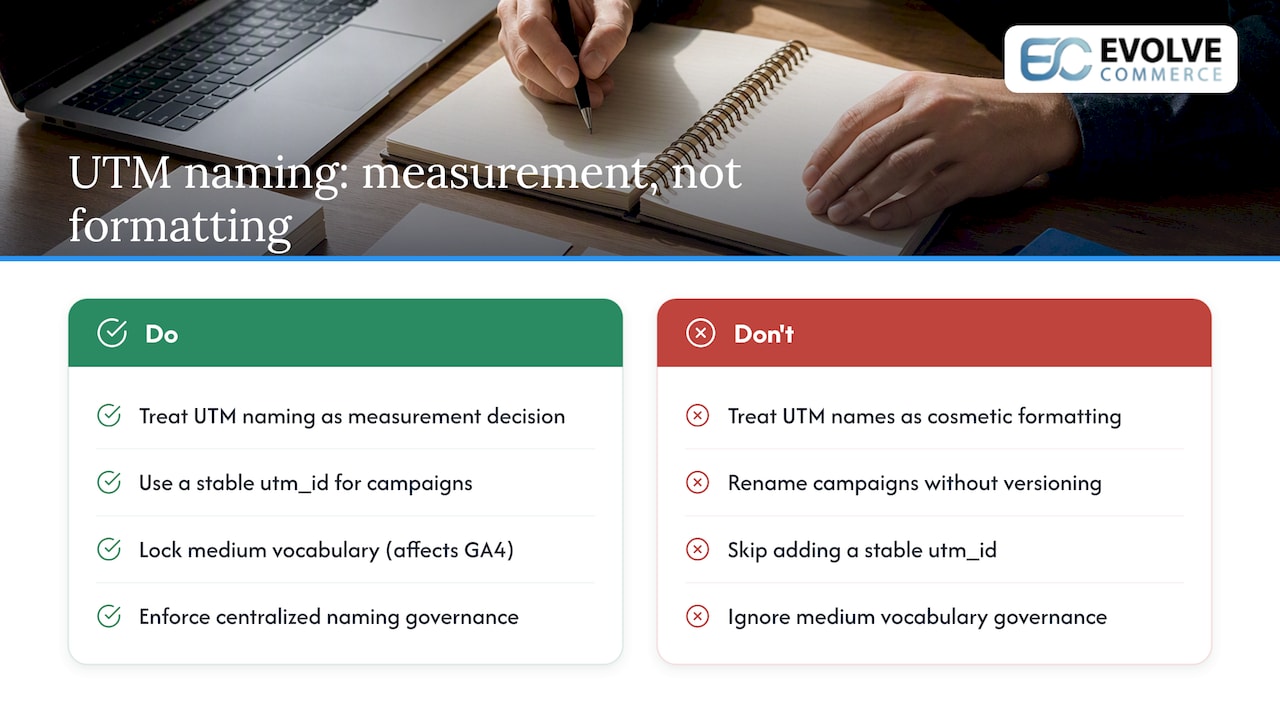
The most overlooked piece is the split between utm_id and utm_campaign. Most teams pick a readable campaign name and never look back, then rename it three months later for a report, breaking every historical comparison in the process. A stable ID solves that in one line of governance, yet it is the parameter most often skipped.
If there is one thing to prioritise first, it is locking the medium vocabulary, since it drives GA4’s automated channel classification more than any other field. Everything else, casing, separators, templates, matters, but medium governance is where misclassification actually starts.
— Evolve Commerce
Turning UTM governance into a working measurement system
Building and policing a naming convention is only half the job. The other half is connecting it to attribution, dashboards and the campaign decisions it is meant to inform, which is where a dedicated analytics layer earns its keep. Evolve Commerce’s AdWize platform centralises campaign identifiers and server-side attribution so that a locked utm_id structure actually translates into cleaner reporting rather than sitting unused in a spreadsheet. Paid media management and performance creative production run through the same integrated system, which means naming decisions made at campaign setup carry straight through to the numbers a marketing director sees.
Teams weighing whether to build this governance in-house or hand it to a managed partner can start by reviewing Starter, Accelerator and Scale plans to see which level of analytics support fits their current campaign volume.
Sources
- Default channel group – Analytics Help
- Mapping ValueTrack parameters with report fields | Google Ads API
FAQ
What are the five UTM parameters?
The five standard parameters are utm_source, utm_medium, utm_campaign, utm_term and utm_content. Source, medium and campaign are considered the minimum set for manual tagging, while term and content are optional fields used mainly for paid search keywords and creative variation testing.
What are examples of naming conventions?
Common formats range from simple templates like [objective]_[period], for example win-back_q1, to key-value structures such as obj:winback_period:q1 for teams that need to parse attributes programmatically. The right choice depends on team size and whether reports are read by eye or processed by a script.
What are common UTM mistakes?
Inconsistent casing and punctuation (Spring_Sale versus spring-sale) and synonym drift (newsletter versus email_newsletter) are the most frequent causes of fragmented reporting. Partial tagging, where a link is missing one of the required parameters, is a further common cause of ‘(not set)’ entries in traffic-source reports.
How do you structure a UTM?
Start with the three required parameters, utm_source, utm_medium and utm_campaign, in lowercase with one consistent separator throughout. Add utm_id for a stable campaign identifier and utm_source_platform where the platform supports it, since these protect reporting continuity when campaign names change later.
Should utm_medium always match the platform’s default categories?
Not necessarily, but any custom medium value should be added deliberately to the approved vocabulary rather than created ad hoc, since GA4’s default channel groups rely on recognised medium values for automated classification. An unrecognised value risks landing in an unexpected channel bucket rather than the one intended.